
 ×

Make Your ShopeeOperations Easier
One system designed for Shopee sellers to manage their entire business.
OFFICIAL RECOGNITION
Shopee Preferred Partner
SHOPEE PREMIUM PARTNERS
Professional Connections, Supporting Every Step of Your Growth
Shopee Preferred Partner
Recognized for product quality, service, and security, giving you greater confidence in your daily operations.
Shopee: The Ecommerce Platform Connecting Local Consumers and Global Sellers
Connecting Products, Marketing, and Fulfillment Through Mobile Shopping and Local Operations
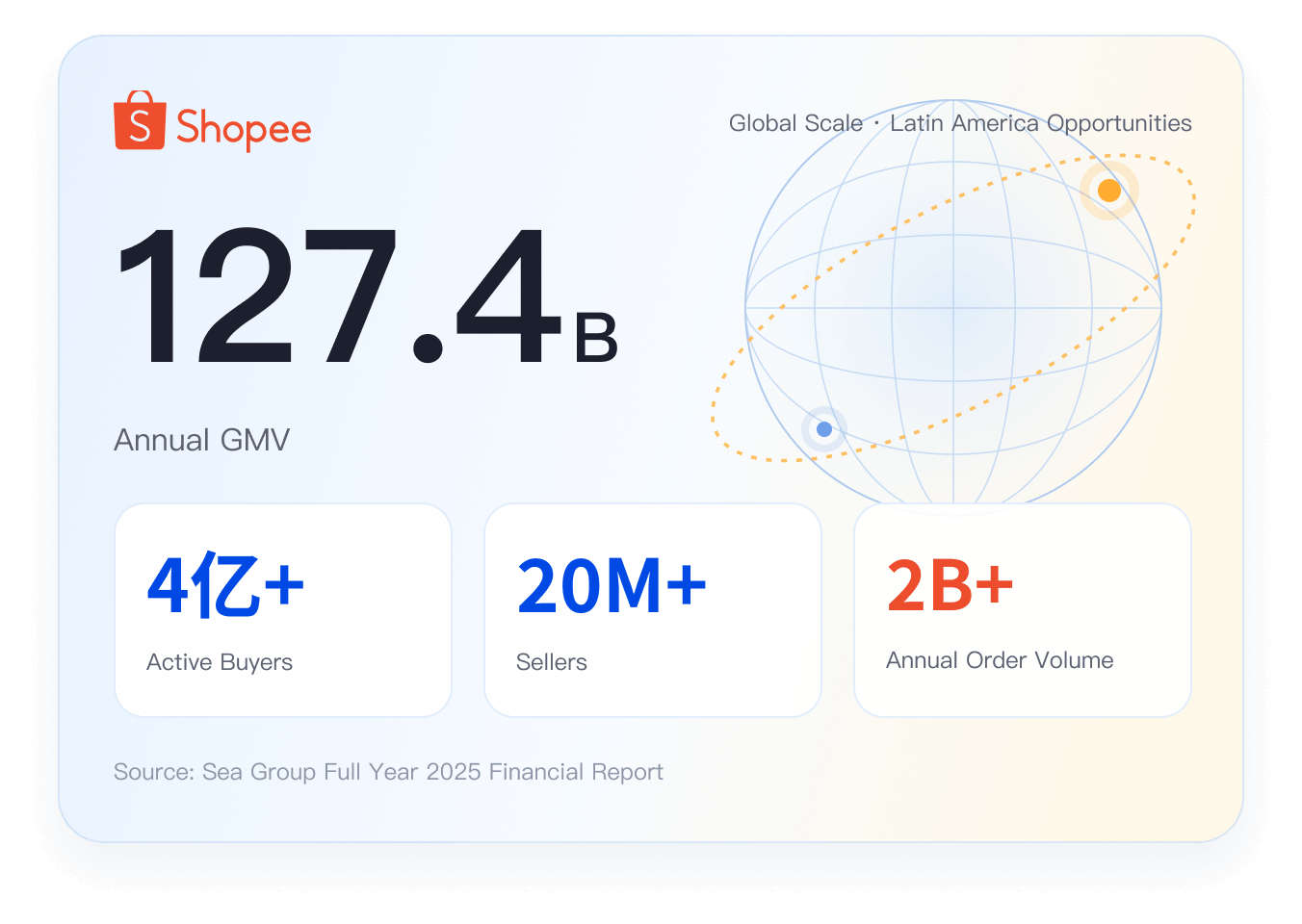
From Platform Opportunity to Efficient Operations
Shopee is an e-commerce platform owned by Sea Limited, primarily serving Southeast Asia, Taiwan, and Latin America, and has become a major e-commerce platform in Brazil. Its ecosystem covers key e-commerce scenarios including product transactions, marketing and promotions, advertising, payments, and logistics and delivery.
Different markets have local requirements for products, orders, logistics, and platform rules. Through its integration, UpSeller brings daily operations across stores into one system to reduce repetitive work and improve management efficiency.
 Multi-Store Management: Manage all your Shopee stores from a single dashboard.
- Efficient Orders: Handle Labels, Picking, and Shipping in One Place.
- Inventory Sync: Keep Stock Updated in Real Time to Help Reduce Overselling and Stockouts.
Connect Easily, No Matter Where You Start
Start your Shopee business or make your existing store operations more efficient.
- New Store
Don’t Have a Shopee Store Yet?
Register a Shopee seller account, list products, and start selling in Latin America.
Open a Shopee Store → - Existing Store
Already Have a Shopee Store?
Authorize your Shopee store in UpSeller to manage products, orders, inventory, and data in one place.
Sign Up for UpSeller for Free →
One System for Your Entire Daily Workflow
From product listings and order invoices to purchasing, inventory, analytics, finance, and the mobile app, cover the full operating workflow for sellers.
Product Listings
- Bulk Collect Products from Other Platforms
- Bulk Edit and Publish up to 300 Products
- Store Product Migration
- Update Prices via Excel Import
AI & Product Tools
- Pricing Templates
- AI Titles
- AI Descriptions
- AI Image Editing
- AI Image Generation
- One-Click White Background
- Bulk Image Cropping
- Barcode Management
- Selling Price & Cost Calculator
- Prohibited Word Detection
Customer Management
- Customer List
- Buyer Blacklist
Shopee Exclusive
Features Built for Shopee
Designed specifically for Shopee sellers, these capabilities set UpSeller apart from general ERP systems.

Auto Parts Templates
Quickly create and reuse Shopee auto parts fitment templates. Complete vehicle models, installation positions, and notes in bulk to list auto parts more efficiently and reduce returns caused by incompatible vehicle models.

Promotion Management
Create discount campaigns, in-store flash sales, and shop top picks in bulk to manage Shopee store promotions in one place and increase product visibility and conversions.

Automatic Product Bumping
Select up to 30 products at a time and automatically bump five products every four hours in rotation, with an option to pin products. Reduce manual work and keep products visible.

Same-Day Delivery Orders
Automatically identify and prioritize instant delivery orders to shorten processing time, ship promptly, and hand parcels over to the delivery provider for pickup.

Shipping Fee Management
View and export actual shipping fees, platform-estimated fees, and their differences in one place. Filter by store, shipping channel, and fee status, and mark appealed orders to spot shipping fee anomalies and reduce losses caused by fee discrepancies.

Shopee FBS Orders
View and manage FBS warehouse orders by status in one place and export order data to keep track of orders and manage order information more efficiently.
Frequently Asked Questions
Find Answers About Store Authorization and Daily Operations
Log in to UpSeller, go to Settings → Store List → Shopee → Authorize Store, then select your market, sign in to your Shopee account, and confirm authorization.



 Mercado Libre
 Shopee
 Amazon
 SHEIN
 TikTok Shop
 TEMU
 Falabella
 AliExpress
 Magalu
 Kwai
 Americanas
 Walmart
 Shopify
 Nuvemshop
 WooCommerce